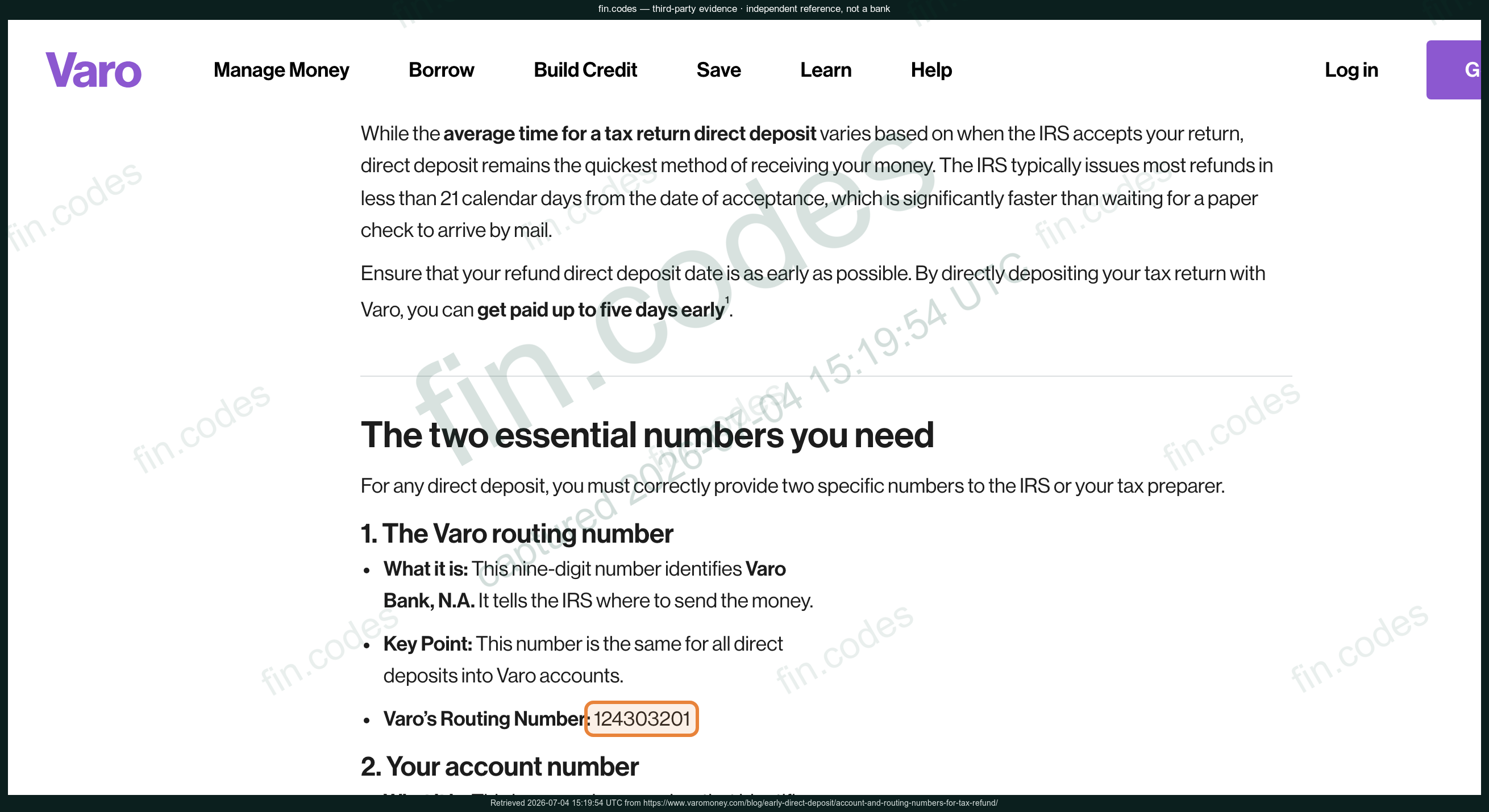
Direct deposit, payroll, and ACH transfers
124 303 201
Confirmed against an official bank source. Always confirm with the bank before you send money.
124 303 201 is the number for direct deposit and ACH transfers.
Bank-verifiedVaro blog: account and routing numbers for tax refundschecked July 4, 2026Direct deposit, payroll, and ACH transfers
Confirmed against an official bank source. Always confirm with the bank before you send money.
Requires sign-in. Where to look: mobile app.
Varo documents routing/account lookup inside the app, so fin.codes treats this as self-service guidance instead of a public universal routing number.
Varo routing and account number support articleCaptured by our verification pipeline — a headless browser opens Varo Bank's own pages, confirms each number, and saves watermarked, dated screenshots. Independent third-party evidence; fin.codes is not affiliated with Varo Bank.
124 303 201 is the number for direct deposit and ACH transfers. The 9-digit routing number identifies the bank on a transfer; your account number identifies you.
Your routing number is the first 9 digits in the bottom-left of a Varo Bank check, or in your online and mobile banking under account or routing details. If anyone asks for your online-banking password or full card number to "verify" a routing number, it's a scam — a routing number alone is public.
Varo Bank, National Association is a bank headquartered in Draper, UT.
Every number passes the standard ABA checksum. 1 number is confirmed against an official Varo Bank source. fin.codes is an independent reference, not a bank — always confirm transfer details with Varo Bank before sending money.
No. fin.codes is an independent reference and is not affiliated with, authorized by, or endorsed by Varo Bank, National Association.